
Practice websites
A practice website built to be found and trusted
A clear, fast website that shows what you treat and makes booking easy.
Book your free Visibility AuditWhat it is
A practice website is the first place a new patient checks you out, and increasingly the first place an AI tool looks for you. We build websites of up to 10 pages for holistic and integrative practices, hosted and kept updated each month, written around the symptoms patients search rather than your practice name.
Every page is built to be read by people and by search and AI tools: fast to load, readable on a phone, with clear titles and descriptions, plain text a tool can read, and a booking button that sends visitors straight to your calendar. The text sits in the page itself, not locked inside images or scripts, so search engines and AI tools can actually read it.
Extra pages beyond the 10 included are $100 each, one time. The site is yours, hosted and kept current as part of your plan, month to month, with no contract.
Why your website matters more now
Patients do not search for your practice name. They search for what they are feeling, and more and more they ask AI tools their questions instead of scrolling a list of links. Your website has to answer those symptom questions in plain language, or it does not get found at all. A site built around your name alone misses the people who are looking for help with a problem.
According to Pew Research Center's Americans and AI 2026 survey of 5,119 U.S. adults in February 2026, about half of U.S. adults say they use AI chatbots, and six in ten say they read AI summaries at the top of search results. Searching for information is the most common reason people use chatbots. That means your future patients are already asking AI tools the questions your site should answer.
AI summaries and AI tools can only work with pages that are readable, clear and trustworthy. If your content lives inside images, scripts or menus that a tool cannot read, it is invisible to them. A well-built page with plain text gives both classic search and AI tools something real to work with, and it gives your future patient a clear answer they can trust.
Google's own guidance is good news here. Google Search Central says there are no additional requirements to appear in AI Overviews or AI Mode, and no special optimizations are necessary; the same foundational SEO best practices apply. There is no special schema markup you need and no need to create new machine-readable files or AI text files. A well-built site is the foundation for classic search and AI answers alike. That said, nobody can guarantee being named in an AI answer, and we do not promise it.
The technical details that make a site readable
One clear H1 per page
A single main heading that tells visitors and search tools what the page is about.
Pages with no H1, or several competing H1s, leave search and AI tools unsure what the page is really about.
Title tags and meta descriptions
The page title and short summary that show up in search results and get shared in links.
Missing or generic titles mean the page shows up with a vague label nobody clicks, or no label at all.
Headings in a sensible order
H1, then H2, then H3, in a logical order that reads like an outline.
Skipped or out-of-order headings make a page hard to scan and hard for tools to understand.
Keywords written naturally
The words patients actually use, written into the page the way a person would read them, never stuffed.
Stuffing the same phrase over and over reads badly and can work against you.
Structured data (schema)
Labels that tell search engines what the business, services, FAQs and pages are. Google says it is not required for its AI features and guarantees nothing, but it helps search engines understand pages and can make them eligible for rich results.
Without it, search tools have to guess what your content means, and you may miss out on richer results.
Text that sits in the page
Real text in the page itself, so it can be read without running scripts.
Text locked inside images or loaded only by scripts can be invisible to search and AI tools.
Speed and phone layout
Pages that load fast and read well on a small screen.
Slow, desktop-only pages lose the majority of visitors, who are on phones.
Image descriptions (alt text)
Short text describing each image for visitors and tools that cannot see it.
Images without alt text give search and AI tools nothing to work with and hurt accessibility.
Clean URLs, a sitemap and links between pages
Readable addresses, a map of all pages, and links that connect them.
Messy URLs and no sitemap make pages harder to find and harder for tools to crawl.
Sitemap, robots.txt and llms.txt
The sitemap lists your pages for search engines; the robots.txt file tells crawlers what they may visit, and ours welcomes search and AI crawlers; the llms.txt file is a plain-text guide to your key pages for AI tools and agents.
Search engines and AI tools find your pages more slowly, or a wrong robots.txt can block them entirely. Google says its AI features need no special files, and no major AI provider has said it relies on llms.txt, so we include it as a free, low-risk extra and never as a ranking tactic.
Why fresh content matters
Google does not reward posting for its own sake. It rewards helpful, original, people-first content. Google's guide to optimizing for generative AI features advises making unique, helpful, expert-led content that goes beyond common knowledge, and it warns that using generative AI to mass-produce pages without adding value can violate Google's spam policy.
Each new page or post that answers a real patient question is another chance to be found, and it gives search and AI tools something specific to work with. It keeps your information accurate and shows the practice is active. A site that never changes gives them little new to work with, and a question you could have answered goes unanswered.
That is why our blog posts are written around real questions with real detail, not mass-produced filler. The goal is a page a patient would actually find helpful, which is the same thing Google says to focus on. Two posts a month, each one specific and genuinely helpful, is the pace we build into the Growth plan.
What we set up on every page
- One H1 on every page
- A title and a description on every page
- Headings in a sensible order
- Schema where it fits
- A canonical tag on every page
- Social sharing tags
- Image descriptions (alt text)
- A sitemap that lists every page for search engines
- A robots.txt that welcomes search and AI crawlers, plus an llms.txt file
- Internal links between pages
- A fast, mobile layout
What you get
- A website of up to 10 pages, hosted and kept updated each month
- A booking button on every page that goes to your calendar
- Text that search engines can read, written around the symptoms patients search
- Extra pages at $100 each, one time
What it can't do
- We do not promise rankings or traffic. Google decides where pages show up.
- We do not promise your practice will be named by ChatGPT or in AI summaries. No one can.
- Results take time, and we do not promise a timeline.
- No online store or e-commerce checkout.
- No more than 10 pages without the $100 per page, one time.
Recent websites
See all our work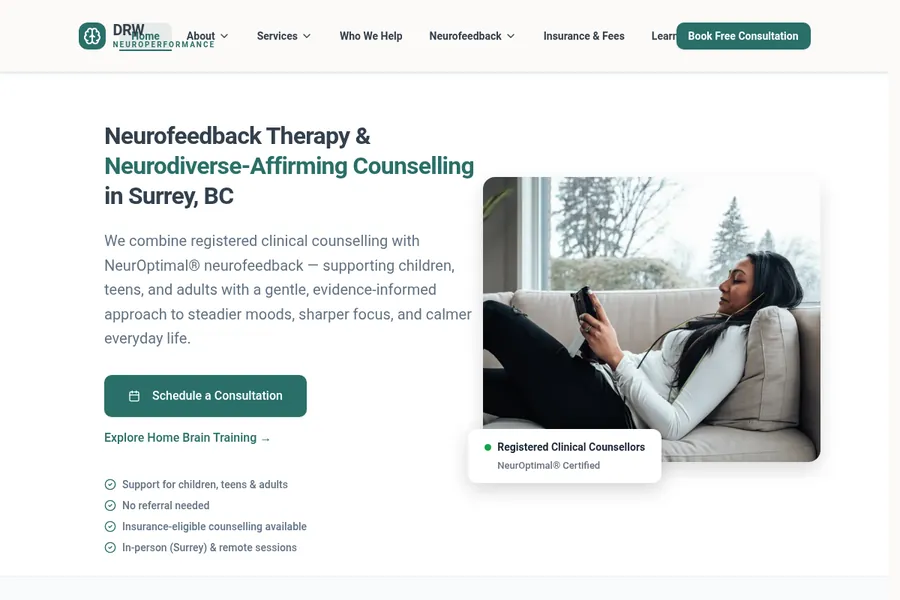
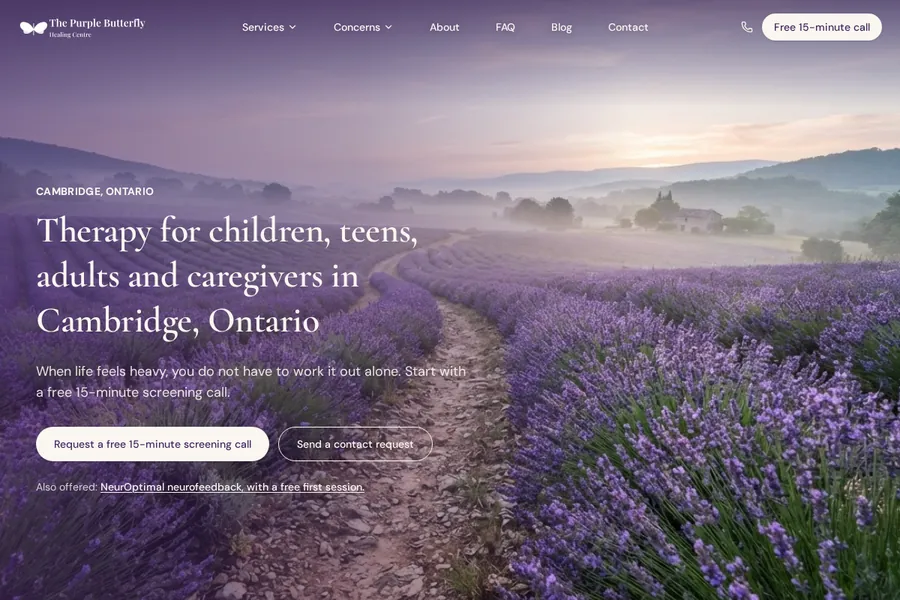
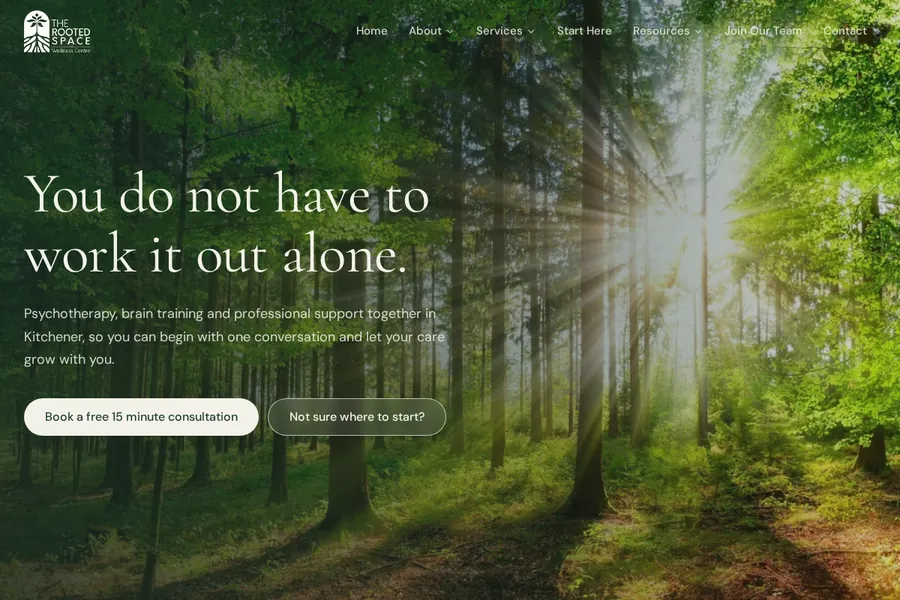
Which plans include it
- CRM Only: not includedSee the CRM Only plan
- Starter: included ($197 a month plus $497 setup)See the Starter plan
- Growth: included ($397 a month plus $497 setup)See the Growth plan
- Full Service: included ($597 a month plus $997 setup)See the Full Service plan
Starter keeps the site accurate and well built. Growth adds two SEO blog posts every month to keep it growing, and includes a monthly re-score of your Practice Visibility Scorecard, which is why Growth exists.
Compare all plans on the pricing page.
Practice websites questions
What is an H1 tag and why does it matter?
An H1 is the main heading on a page, the one that says what the page is about. Search engines and AI tools use it to understand the page, and visitors use it to know they are in the right place. Each page gets one clear H1 so there is no confusion about its topic.
Do I need schema markup?
Schema is not required. Google says it is not required for its AI features and does not guarantee anything. It does help search engines understand your pages and can make you eligible for richer results, so we add it where it fits. Think of it as helpful labeling, not a trick.
Will this get my practice named by ChatGPT or in AI summaries?
No one can promise that. The same fundamentals that help with classic search, clear answers and accurate details, give you the best chance. Google says there is no special trick for AI results and the same best practices apply. We build for that, and we are honest that being named in an AI answer is not something anyone can guarantee.
How often should a practice publish new content?
There is no magic number. Google rewards helpful, original, people-first content, not posting for its own sake. Each page or post that answers a real patient question is another chance to be found. Quality over quantity is the rule, and we write around real questions with real detail.
How long until a new site starts working?
It takes time for search engines to crawl and trust a new site, and we do not promise a timeline. The audit call gives you an honest read on where you are starting from and what to expect. A well-built site gives you the best foundation, but results are not instant.
What does it cost?
The website is included in Starter at $197 a month plus a $497 setup, and in the plans above it. It is month to month, with extra pages at $100 each, one time. Custom work beyond the build is $100 an hour.
What is an llms.txt file, and do I need one?
It is a short text file that lists your most important pages for AI tools. Google says its search and AI features do not need it, and nobody can promise it changes whether you are named in AI answers. We add one to every site because it costs nothing and can help AI tools and agents that do read it.
See how this would work in your practice
Book your free 30-minute Visibility Audit. No pressure, no obligation.